
Visa Click to Pay is now a standard feature of your card. It can be used whenever you see the Click to Pay icon at checkout.
Alert: Beware of scammers impersonating Unity Bank staff. Never share login details or One Time Passwords with anyone.

The new standard in online checkout

Which means you can stop typing in card details during online checkout. Instead, the email or mobile number associated with your card is required to verify your identity and securely present your card. Paying with Click to Pay is a small step that makes a big difference because it works across all your devices and all participating retailers.
Look for the Click to Pay symbol wherever you shop, and start moving towards the easier way to pay.
Click to Pay securely stores your payment and address details, saving you the hassle of typing them in every time you shop online with a participating merchant. Instead, you can pay in just a few clicks!

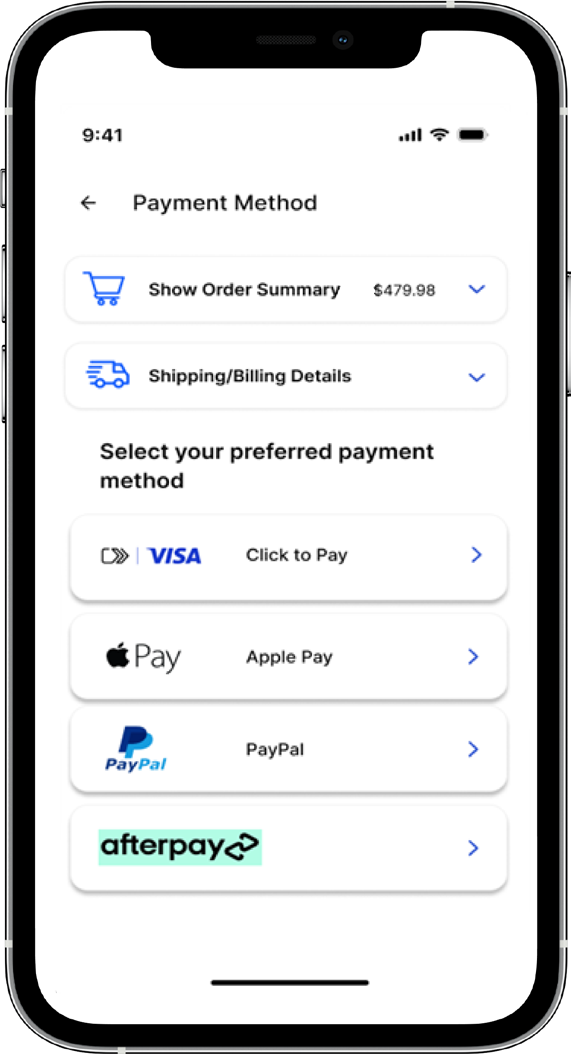
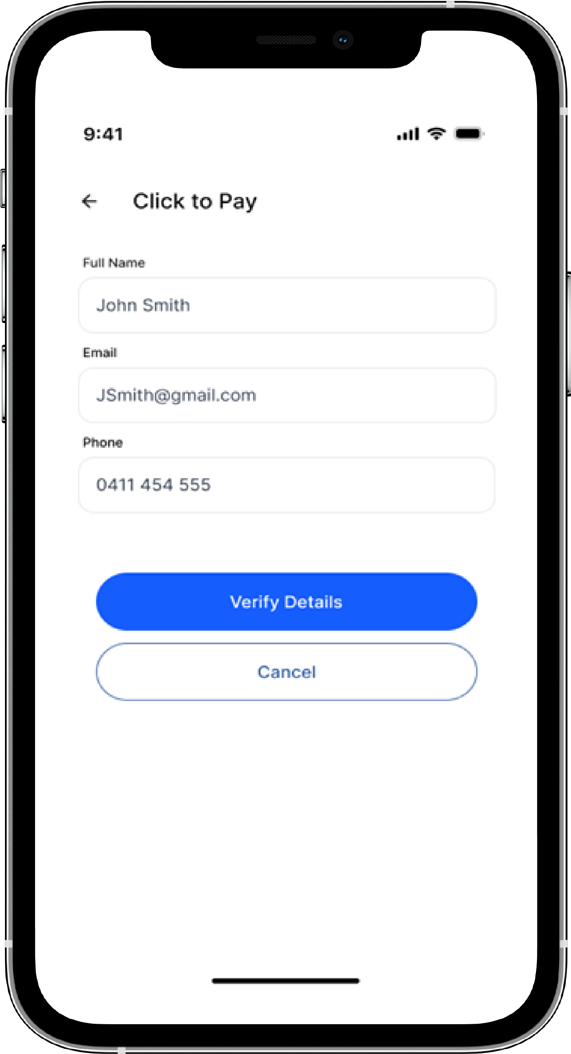
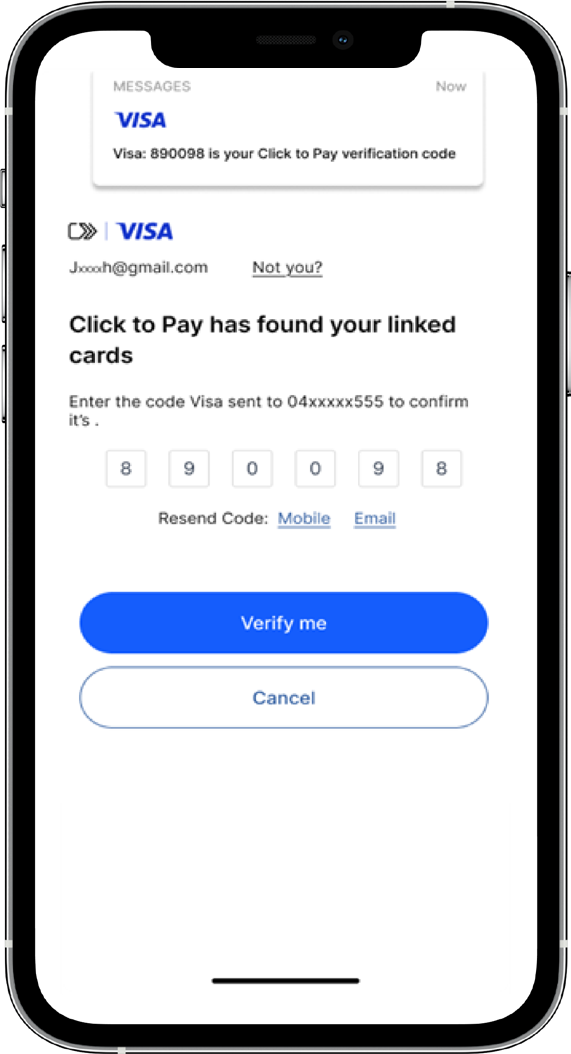
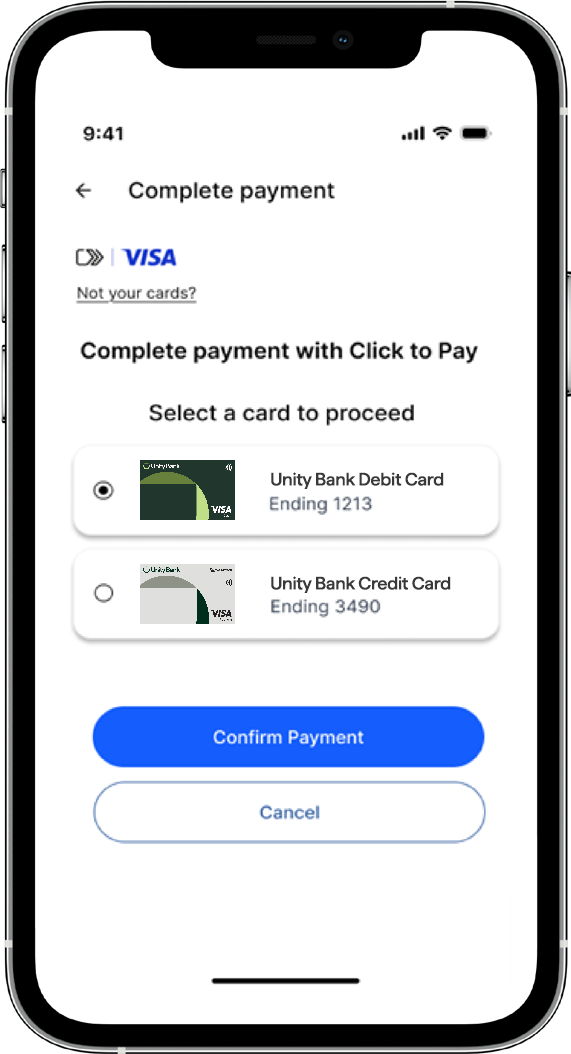
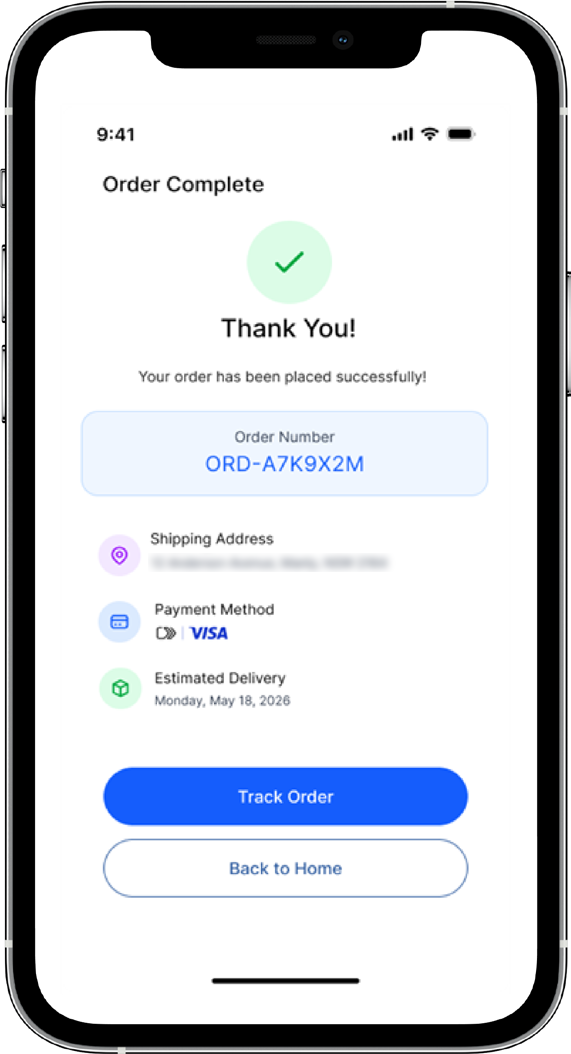
Once set up, Click to Pay lets you pay with just one click whenever you see the Click to Pay icon. 
All cards are automatically enrolled in Click to Pay. When you’re ready to make a payment, simply enter your email address or phone number to verify yourself. No need to manually input card details, just a quick verification and you’re all set to complete the purchase effortlessly.
No, it’s completely optional. You can continue entering your card details manually if you prefer.
No, there’s no additional fee to use Click to Pay. Your normal card fees still apply as usual.
Yes, it’s designed to be secure. Your card details aren’t shared with the merchant, and a one-time code is used to confirm your payment.
Yes. If you wish to opt out of Click to Pay, please contact us.